Product
IMAKE Clip Lab
Local-firstThe audio scratchpad for game and film sound. Every tool earns its place — no DAW bloat, just the joy of making sound.
Price · one-time
$10USD · ONE-TIME
Clean full-length export · free preview exports
Exports
WAVOGGSTEMSSELECTION
Master, individual stems, or selection
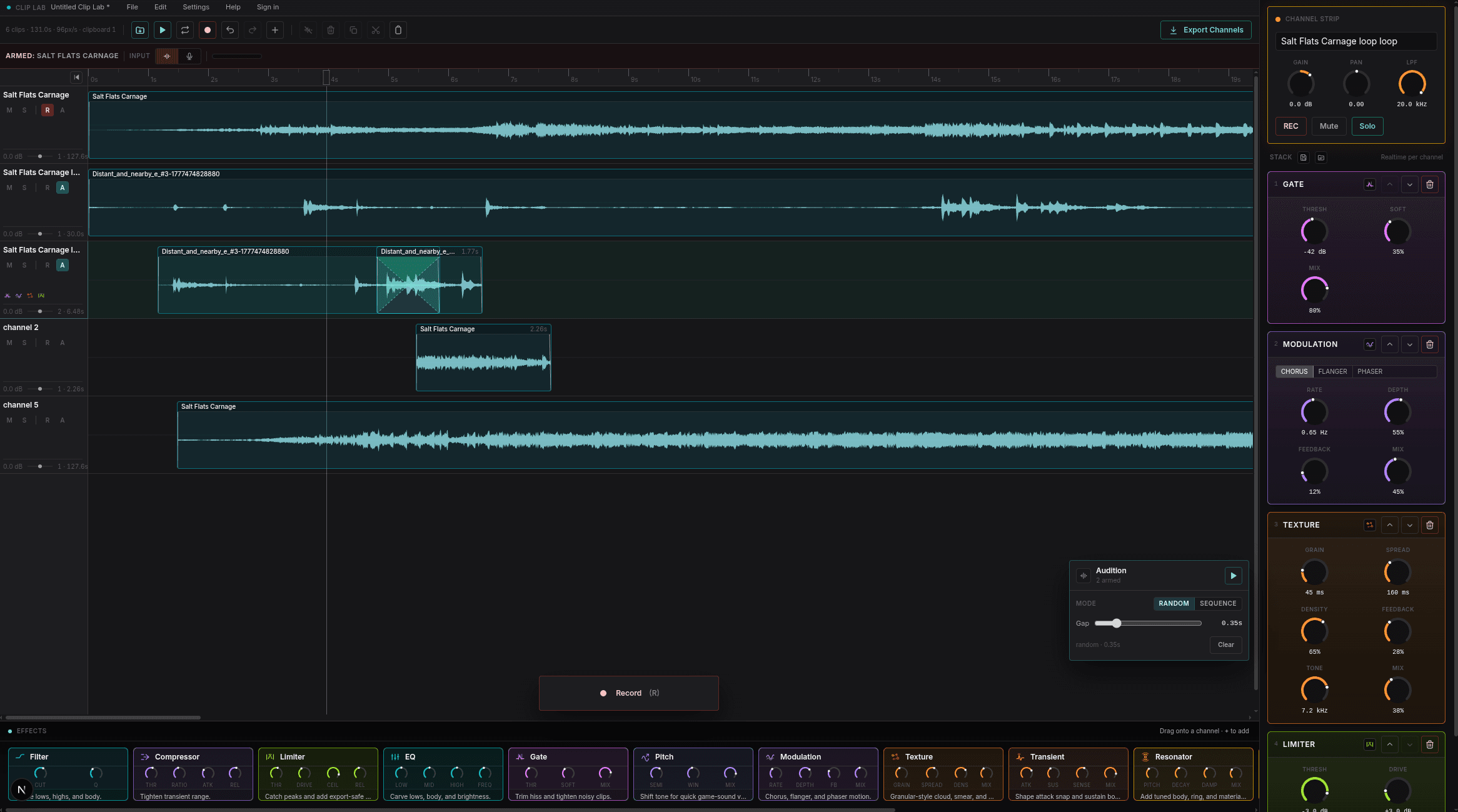
Idle · hover anywhere
00.00s / 131.0s
Hover any region to inspect — 8 hotspotsLive editor · running in your browser
01 / Effects
Fourteen channel effects. Every one earns its place.
Built for the textures game and film sound need \u2014 no fluff, no presets you'll never touch.
02 / Workflow
Made for the joy of designing sound.
For game and film audio designers \u2014 quick round-trips between build and fix, no project ceremony, no menu hunting.
03 / Buy
$10. Once. Built for sound designers.
Clean full-length WAV and OGG export. Free exports stay preview-capped so you can test the workflow before buying.
POPULAR
License
$10one-time · 1 seat
- Clean full-length WAV export
- Clean full-length OGG export
- Project, channel stem, and selection export
- Offline license after successful issue
- Local project files, fully portable
Free
TryIn browser · no card
- Open and use right now
- No install required
- Install as PWA after visiting
- Full editing workflow
- Preview-capped exports for testing
04 / System
Runs anywhere you sit.
In a browser tab, or installed as a PWA. No native build, no driver, no install wizard.
RunsIn any modern browser
Or installAdd to home screen as a PWA after visiting
EngineWebAudio with browser-native playback and render paths
StorageLocal-first. Projects managed by the app, exported as a single file
SharingSend a project to anyone, move to another computer in one drop
Sample rates8 / 11.025 / 16 / 22.05 / 32 / 44.1 / 48 / 96 kHz
File I/OWAV · OGG · project bundles · channel stems
AccountNot required to edit. Required for clean full-length export unlocks